
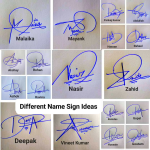




An email signature is a small block of text that is automatically appended to the end of an email message. It typically includes the sender’s name, title, company name, contact information, and sometimes even a personal tagline or a professional quote.
Email signatures serve multiple purposes, including:
Professionalism: An email signature makes an email message look more professional, especially when it includes the sender’s name, title, and company information.
Identity: An email signature helps to establish the sender’s identity and credibility, making the email message more trustworthy.
Convenience: Email signatures make it easy for recipients to find and save the sender’s contact information, without having to search through multiple emails.
Branding: Email signatures can also be used to promote a company or personal brand, by including a company logo or a personal tagline.
Consistency: An email signature helps to maintain consistency in the way a sender’s information is presented, whether it’s in a personal or professional context.
Email signatures can be created in most email clients, such as Microsoft Outlook, Gmail, and Apple Mail. To create an email signature, the user must specify the information they want to include, such as their name, title, company name, phone number, and any other relevant details. The email client then automatically appends this information to the end of each outgoing email message.
In conclusion, an email signature is a small but powerful tool that can add a professional touch to an email message, establish the sender’s identity, provide convenience to the recipient, promote branding, and maintain consistency in presenting information. Whether you’re sending personal or professional emails, it’s important to have an effective and well-designed email signature.
How to Create a Business Email Signature
A business email signature is a small block of text that is automatically added to the end of your email messages, serving as a representation of your brand and professionalism. Creating a well-designed business email signature can help you make a positive first impression and provide important information to your recipients.
Here’s how to create an effective business email signature in Microsoft Outlook:
- Open Microsoft Outlook: Launch Microsoft Outlook and navigate to “File”, then select “Options”.
- Go to the Mail Tab: Within the “Outlook Options” dialog box, click on “Mail” from the list on the left.
- Access the Signatures Section: Scroll down to the “Signatures” section and click the “Signatures…” button.
- Create a New Signature: In the “Signatures and Stationery” dialog box, click “New”. Assign a name to your signature and click “OK”.
- Enter Your Information: Within the signature editor, input your business details such as your name, title, company name, website, and company logo. Include additional contact information such as your phone number, email address, and physical address if desired.
- Choose a Professional Design: Opt for a professional design that aligns with your brand’s visual identity. Select a font that represents your brand and choose colors that complement your company’s color scheme.
- Add Social Media Links: If your company is active on social media, consider including links to your social media profiles in the signature. This enables recipients to connect with you and your company on other platforms.
- Set a Default Signature: Once satisfied with your signature, return to the “Signatures and Stationery” dialog box. In the “E-mail Signature” section, choose the signature you just created as the default for new messages.
- Save Changes: Click “OK” to save your modifications and close the “Signatures and Stationery” dialog box.
Your business email signature should be simple, professional, and consistent with your brand’s visual identity. By following these steps, you can craft an effective business email signature that leaves a positive impression and provides valuable information to your recipients.
Key Benefits of Using a Business Email Signature
A business email signature is a powerful tool that can provide numerous benefits to individuals and organizations. It is a small yet effective way to make a lasting impression on clients, colleagues, and partners.
Here are some of the key benefits of using a business email signature:
- Brand Awareness: A well-designed email signature can help to increase brand awareness by displaying a company’s logo and other important information, such as its website and contact details. This helps to build a strong and recognizable brand image, which is especially useful for small businesses trying to establish themselves in a competitive market.
- Professionalism: A business email signature adds a level of professionalism to emails and conveys a sense of trust and credibility. It can also highlight an individual’s title, expertise, and qualifications, which is important in building professional relationships with clients and colleagues.
- Consistency: Using a consistent email signature across all emails promotes a uniform image and helps build a strong brand identity. A consistent email signature ensures that all emails are professional and well-presented, regardless of the sender.
- Marketing Opportunities: A business email signature can serve as a marketing tool to promote new products, services, or events. By including relevant information or links in the signature, individuals and organizations can drive traffic to their website and generate leads for their business.
- Improved Contact Information: A business email signature provides an opportunity to include important contact information, such as an individual’s email address, phone number, and social media profiles. This makes it easier for clients and colleagues to get in touch and increases the chances of being contacted by potential clients.
- Time-Saving: Including a business email signature in all emails saves time and effort, as individuals don’t need to manually add their contact information to each email. This ensures that important information is included in every email, reducing the risk of missing critical details.
15 Examples of Business Email Signatures
Here are 15 business email signature examples:
Certainly! Here are 15 business email signature examples with important words bolded:
1. John Doe
Marketing Manager
XYZ Inc.
Email: johndoe@example.com
Phone: 555-123-4567
Website: www.xyzinc.com
[Company Logo]
LinkedIn: [LinkedIn Profile] | Twitter: [Twitter Profile]
“Creating Connections, Driving Results”
[Professional Headshot]
2. Sarah Johnson
Sales Executive
ABC Company
Email: sarah.johnson@example.com
Phone: 555-987-6543
Website: www.abccompany.com
[Company Logo]
LinkedIn: [LinkedIn Profile] | Facebook: [Facebook Profile]
“Exceeding Expectations, Delivering Solutions”
[Professional Headshot]
3. David Lee
Graphic Designer
LMN Designs
Email: david.lee@example.com
Phone: 555-789-0123
Website: www.lmndesigns.com
[Company Logo]
LinkedIn: [LinkedIn Profile] | Instagram: [Instagram Profile]
“Bringing Creativity to Life”
[Professional Headshot]
4. Emily Smith
Customer Support Specialist
PQR Enterprises
Email: emily.smith@example.com
Phone: 555-234-5678
Website: www.pqrenterprises.com
[Company Logo]
LinkedIn: [LinkedIn Profile] | YouTube: [YouTube Channel]
“Your Satisfaction is Our Priority”
[Professional Headshot]
5. Michael Brown
Account Manager
JKL Inc.
Email: michael.brown@example.com
Phone: 555-345-6789
Website: www.jklinc.com
[Company Logo]
LinkedIn: [LinkedIn Profile] | Pinterest: [Pinterest Profile]
“Building Strong Partnerships”
[Professional Headshot]
6. Elizabeth Davis
HR Manager
DEF Corp.
Email: elizabeth.davis@example.com
Phone: 555-456-7890
Website: www.defcorp.com
[Company Logo]
LinkedIn: [LinkedIn Profile] | Twitter: [Twitter Profile]
“Supporting Our People, Empowering Success”
[Professional Headshot]
7. William Peterson
Project Manager
GHI Solutions
Email: william.peterson@example.com
Phone: 555-678-9012
Website: www.ghisolutions.com
[Company Logo]
LinkedIn: [LinkedIn Profile] | Facebook: [Facebook Profile]
“Driving Innovation, Delivering Results”
[Professional Headshot]
8. Rachel Johnson
Marketing Director
STU Inc.
Email: rachel.johnson@example.com
Phone: 555-789-0123
Website: www.stuinc.com
[Company Logo]
LinkedIn: [LinkedIn Profile] | Instagram: [Instagram Profile]
“Inspiring Connections, Fueling Growth”
[Professional Headshot]
9. Jane Doe
Content Manager
LMN Designs
Email: jane.doe@example.com
Phone: 555-890-1234
Website: www.lmndesigns.com
[Company Logo]
LinkedIn: [LinkedIn Profile] | Twitter: [Twitter Profile]
“Crafting Compelling Stories, Engaging Audiences”
[Professional Headshot]
10. Tom Smith
IT Manager
ABC Company
Email: tom.smith@example.com
Phone: 555-901-2345
Website: www.abccompany.com
[Company Logo]
LinkedIn: [LinkedIn Profile] | Facebook: [Facebook Profile]
“Empowering Efficiency, Ensuring Security”
[Professional Headshot]
11. Lisa Lee
Marketing Specialist
PQR Enterprises
Email: lisa.lee@example.com
Phone: 555-234-5678
Website: www.pqrenterprises.com
[Company Logo]
LinkedIn: [LinkedIn Profile] | YouTube: [YouTube Channel]
“Elevating Brands, Engaging Audiences”
[Professional Headshot]
12. Robert Johnson
Sales Manager
GHI Solutions
Email: robert.johnson@example.com
Phone: 555-345-6789
Website: www.ghisolutions.com
[Company Logo]
LinkedIn: [LinkedIn Profile] | Pinterest: [Pinterest Profile]
“Driving Sales, Fostering Relationships”
[Professional Headshot]
13. Sarah Davis
HR Manager
DEF Corp.
Email: sarah.davis@example.com
Phone: 555-456-7890
Website: www.defcorp.com
[Company Logo]
LinkedIn: [LinkedIn Profile
] | Twitter: [Twitter Profile]
“Supporting Our People, Building Success”
[Professional Headshot]
14. John Peterson
Project Manager
STU Inc.
Email: john.peterson@example.com
Phone: 555-567-8901
Website: www.stuinc.com
[Company Logo]
LinkedIn: [LinkedIn Profile] | Instagram: [Instagram Profile]
“Managing Projects, Driving Excellence”
[Professional Headshot]
15. Mary Johnson
Operations Manager
XYZ Inc.
Email: mary.johnson@example.com
Phone: 555-678-9012
Website: www.xyzinc.com
[Company Logo]
LinkedIn: [LinkedIn Profile] | Facebook: [Facebook Profile]
“Streamlining Operations, Enhancing Efficiency”
[Professional Headshot]
Feel free to customize these examples based on your preferences and needs to create effective business email signatures for various roles within your organization.


Add Comment